The Business Benefits of Centralized Access Management
Beyond the security gains, there are real operational wins when your application access management is built on SAML. Employee onboarding and offboarding becomes significantly cleaner. When a new hire joins, provisioning access to all connected applications happens through a single workflow. When someone leaves, deprovisioning is equally straightforward, with no more chasing down which tools they had accounts in and hoping nothing was missed.
Role-based access control also becomes easier to maintain. Rather than managing permissions inside each individual application, you can define access policies at the identity provider level and push them across your environment. This matters particularly for businesses that work with contractors, part-time staff, or employees across multiple departments with different access needs.
IT help desk volume tends to drop as well. Fewer passwords means fewer resets. A single, consistent login experience means fewer lockouts. The administrative lift that currently goes into managing scattered accounts can be redirected toward higher-value work.
Does Simpler Really Mean Just as Secure?
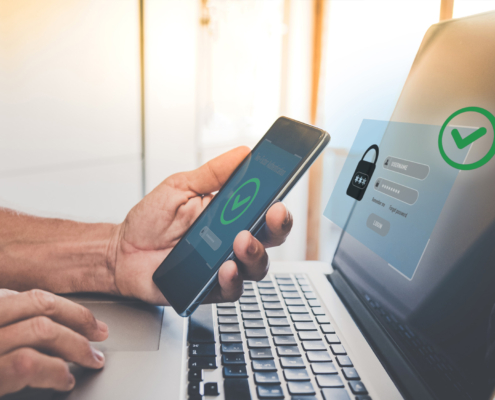
It’s a fair question, and it comes up often. The intuition that simpler equals less secure makes sense on the surface, but SAML multi-factor authentication actually inverts that logic. When authentication is fragmented across applications, your cybersecurity services are only as effective as the weakest enforcement point in your stack. One application without proper MFA, one set of credentials that slips through the cracks, and you have exposure.
Centralized identity management closes those gaps. Because verification happens at one point before access is granted, there’s no application-level backdoor that bypasses your MFA policy. Access is either granted by the identity provider under your defined rules, or it isn’t granted at all. That consistency is harder to achieve and harder to maintain when every application is managing its own authentication logic.
Millennium Makes SAML Implementation Simple
One of the most common concerns business owners have when they hear “implement a new authentication system” is that it means ripping out what’s already there. In most cases, it doesn’t. SAML is supported natively by a wide range of cloud services and business applications, including Microsoft 365, Google Workspace, Salesforce, and Slack, and these can be connected to an identity provider without replacing or significantly reconfiguring them.
A managed IT partner handles the configuration work: selecting and setting up the identity provider, connecting your existing applications, establishing MFA policies, and testing the experience before it rolls out to your team. The result is SAML multi-factor authentication working behind the scenes in a way that’s largely invisible to employees, except that logging in gets easier, not harder.
If you’ve been putting off addressing MFA because it felt like too large a project to take on, SAML-based single sign-on is often more achievable than it appears. The right partner can assess your current environment, identify which applications are SAML-compatible, and build a rollout plan that doesn’t disrupt your team’s day.
Millennium helps Connecticut businesses build access management infrastructure that makes security practical, not painful. If you’re ready to get a clearer picture of how your current authentication setup holds up, we’d be glad to walk through it with you. Schedule a conversation today.